
Manual · 6
batari Basic projects
batari Basic turns a BASIC program into a 2600 game. VCSIDE builds it, puts its errors on the lines of your program and keeps the graphics you draw inside it.
The compiler
VCSIDE uses batari Basic 1.9, the official WebAssembly build, which runs with wasmtime the same way on every system. Set its folder in Settings → Tools, or leave it in <VCSIDE settings>/tools/bb/. F7 runs its 2600basic.sh (or 2600bas.bat on Windows) next to the .bas.
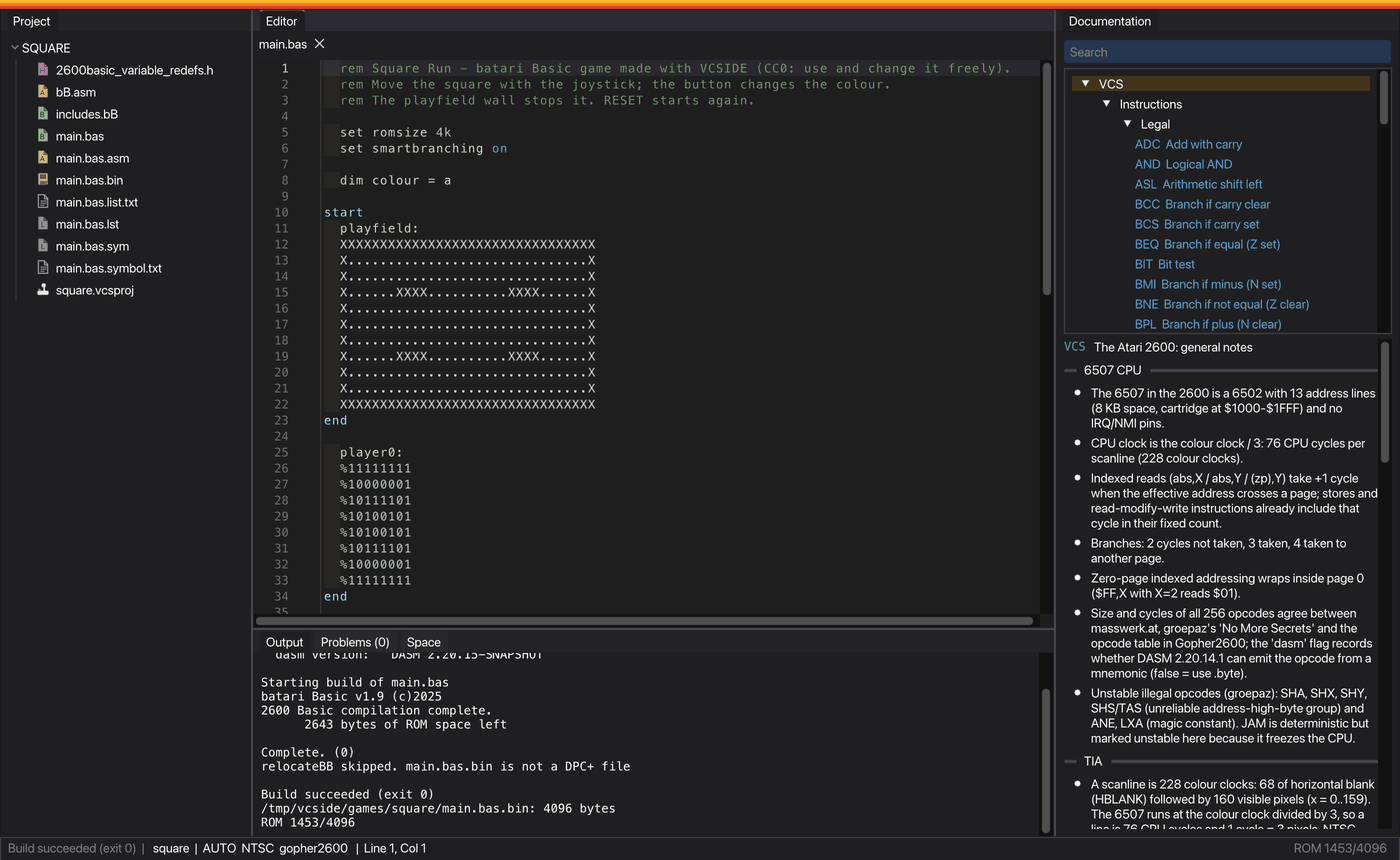
A new batari Basic project starts with a square you move with the joystick, inside a playfield with walls.
Errors on your lines
batari Basic's own errors already name a line of the .bas. The errors DASM finds in the assembly that batari Basic writes are moved back to the line of the .bas they came from, through the ;;line N;; marks in that assembly. A jump to a label that doesn't exist, which DASM reports as an unknown mnemonic, is explained as what it is.
Debugging
The ROM, listing and symbols are left with the names the emulators look for, so everything works as in assembly:
- breakpoints on the lines of the
.bas, with F9 and F6; - Go to address from an address in the emulator to its line of BASIC;
- the emulators show your labels.
The space report takes the bytes left in each bank from the compiler's output. The project's format is AUTO, because the program itself sets its size and kernel (set romsize, set kernel).
In the editor
Keywords, registers and labels have their own colours. Hover help and completion know every word of the compiler, with short explanations of each, and words with a number expand to every one (joy0up to joy3up). F12 goes to a label. Labels are whatever starts in the first column.
Graphics in a batari Basic program
batari Basic can't include BASIC from another file, so the blocks of graphics have to be in the .bas. Mark where they go:
rem vcsgfx art.vcsgfx hero
  player0:
  %00111100
  ...
end
rem vcsgfx end
Every time the .vcsgfx is saved, the lines between the two marks are rewritten in every .bas of the project, with the blocks for the program's kernel (row order, playerNcolor:, playfields of 32 or 16 columns, DFnFRACINC for DPC+ and PXE).
- Add
frame Nafter the name to get a single frame, so each one can go in its own branch of your animation code. - Add
animation NAMEto get a whole animation as a subroutine:gosub hero_walkonce per frame, andgosub hero_walk_resetto start it again. It uses two variables you choose in the animation. - If the program is open, the change goes to the editor, where it can be undone, and is saved, unless the program had unsaved changes of its own. Otherwise it is written to disk.
- Copy as → batari Basic, kept up to date gives the marked blocks, ready to paste.
- A mark with a name that doesn't exist, a frame too many or no
endis left as it was, with a warning in Output.
The editor knows the kernel from the program's set kernel, set kernel_options and const pfres, so you can only draw what that kernel can show. See kernel profiles.